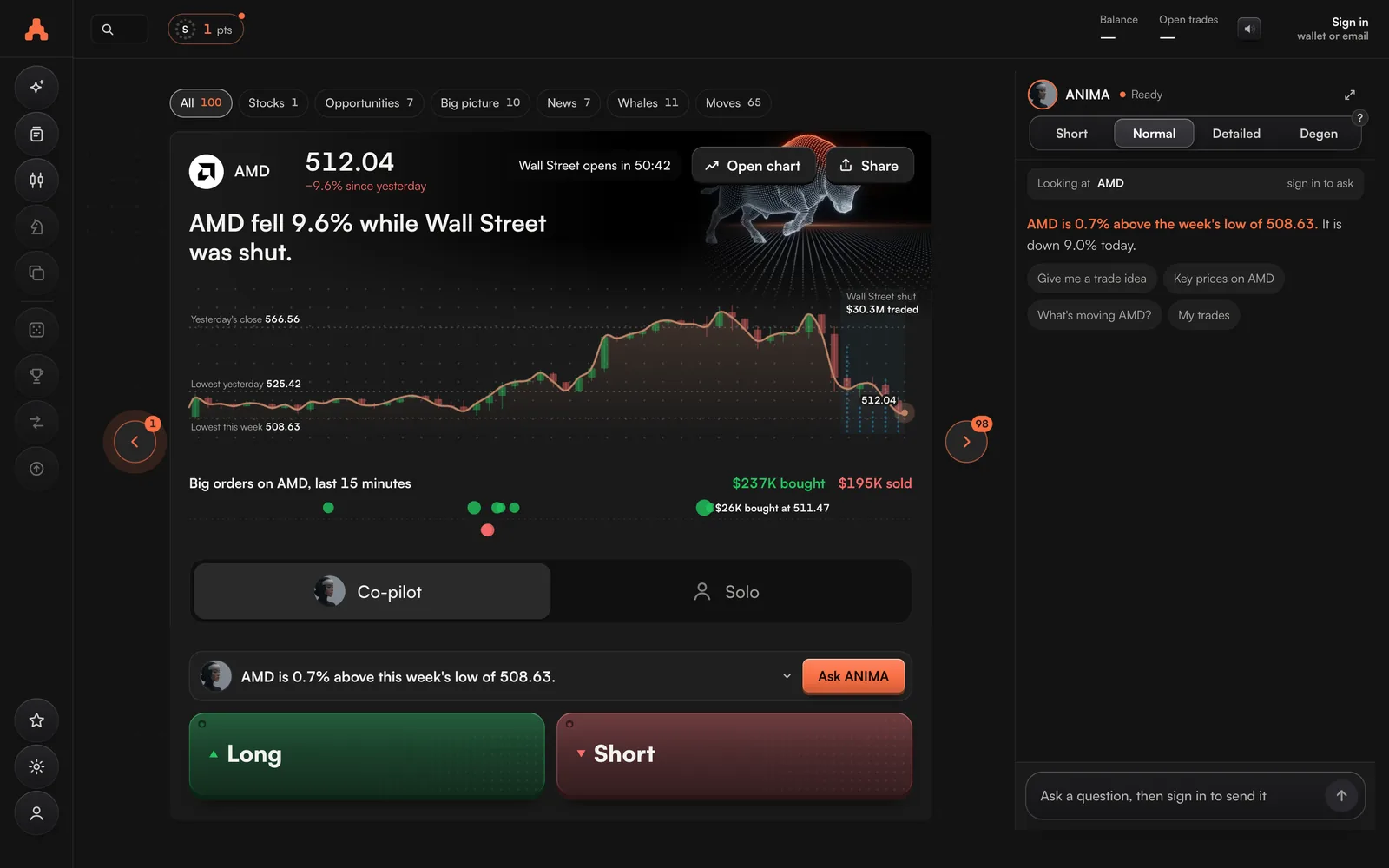
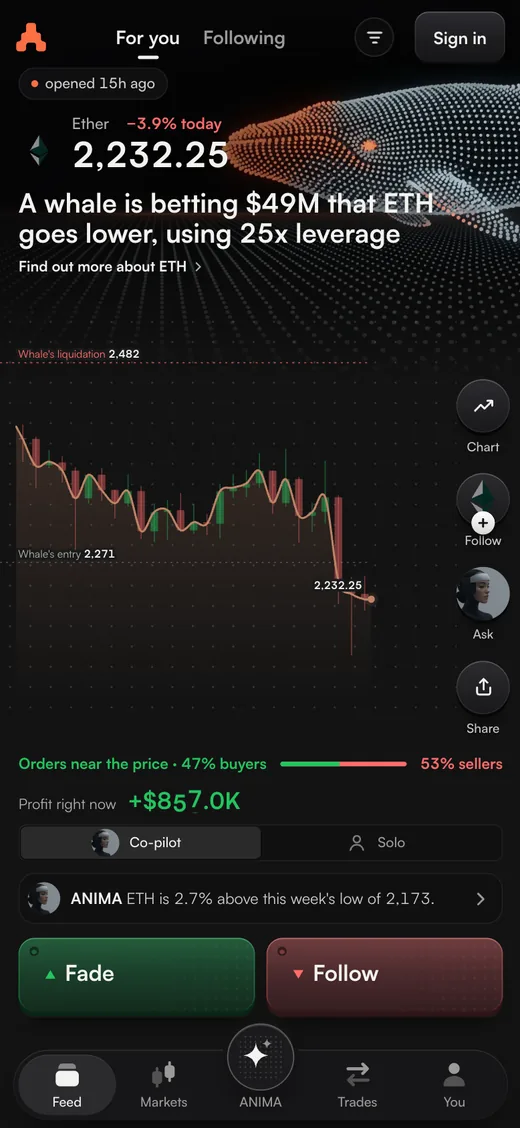
Two ways to open a trade. One press from a Feed card, or the full Perps screen with every order type.
Both send your order to the exchange you trade on, and only when you press the button. Both put a stop loss on the trade, so you choose the most you can lose before you are in.
From a Feed card
- Press Long or Short on a card.On a whale's card, Follow trades the whale's way and Fade trades against it.
- Set You put in.It is a share of your account. It starts at 10%, or at the last share you picked, and can go up to all of your free money.
- Set Leverage.It starts at 5×, or at the market's maximum if that is lower.
- Pick Co-pilot or Solo.With Co-pilot, ARC looks after the trade once it is open. See Co-pilot.
- Press the button, such as Open Long SOL.If the stop loss could lose more than 10% of your account, ARC asks you once more. You can change that 10% in Settings.
The Perps screen
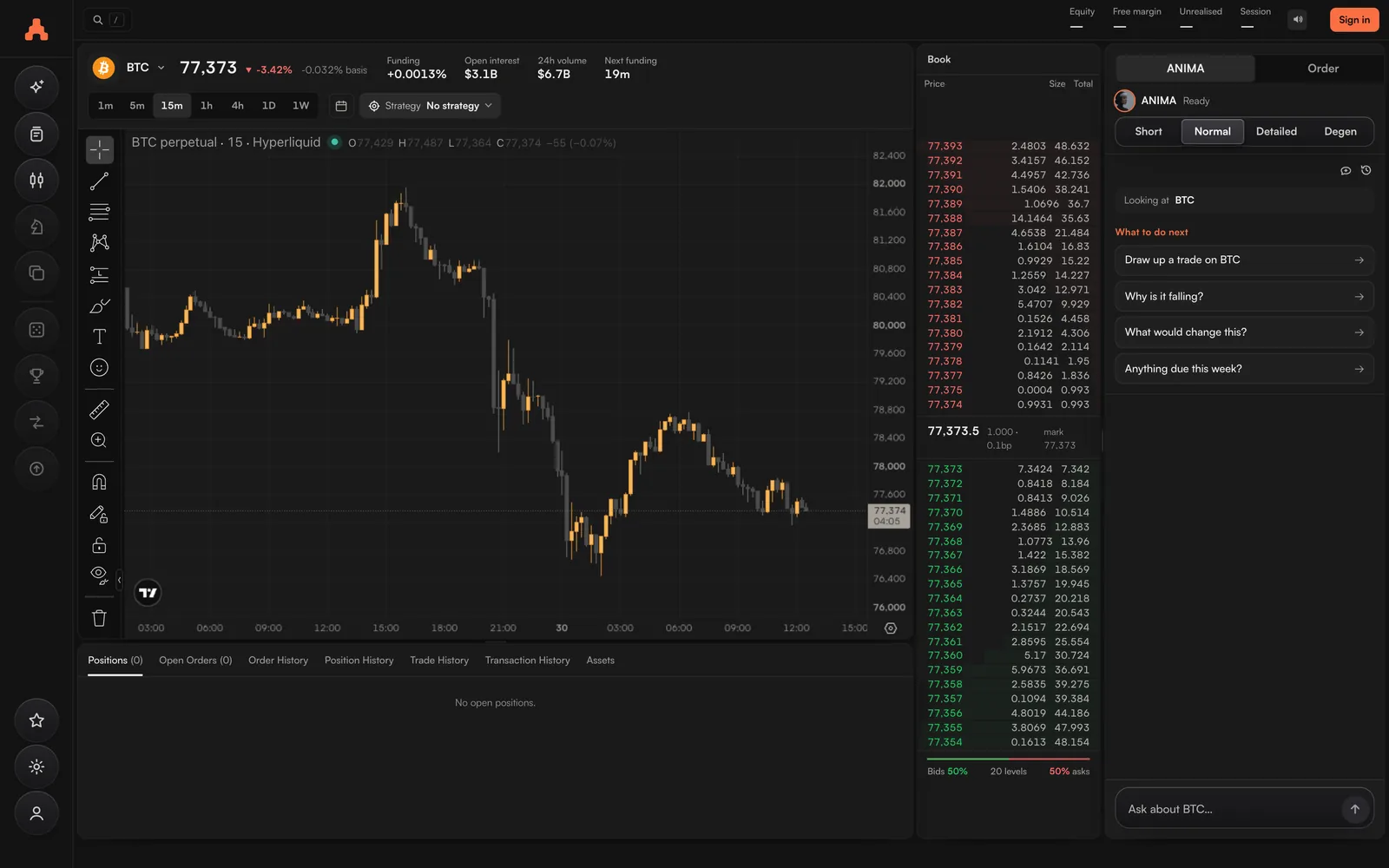
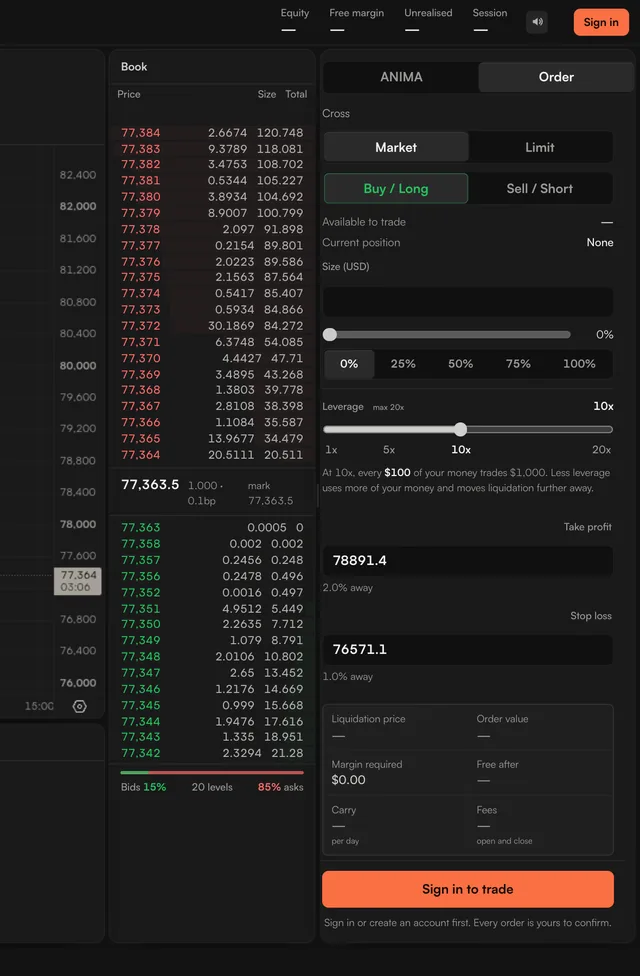
Perps is the full trading screen: the chart, the order book and the order ticket. It has two modes. Pro is offered on screens wider than 900 pixels.
| Mode | What you set |
|---|---|
| Simple | Market or Limit. Buy / Long or Sell / Short. How much are you willing to lose?, in dollars, and ARC works out the size. Open Set my own safety net and take profit to place your own stop loss and take profit. |
| Pro | Size by Risk (the dollars you are willing to lose) or Manual. Order types: Market, Limit, TWAP where the exchange offers it, Stop market and Take profit. An optional leverage ceiling. Cross or Isolated margin. |
The words on the ticket
| Long | A bet that the price goes higher. |
| Short | A bet that the price goes lower. |
| Leverage | How many times your money the trade is worth. $500 at 20× is a $10,000 trade, and a 1% move is $100. |
| Stop loss | The price where the trade closes by itself to limit your loss. |
| Take profit | The price where the trade closes by itself to bank your profit. |
| Liquidation price | The price where the exchange closes your trade because the margin has run out. A stop loss closes the trade before it gets there. |
| Cross margin | All your trades share the money in your account. |
| Isolated margin | Each trade can only use the money you put into it. |
| Funding | What it costs, or pays, to hold a trade, charged by the exchange every hour. |
Closing a trade
Close from your open trades (Trades on a phone), from the Perps screen, or by asking ANIMA. You can close a trade, cancel an order or move your stop loss at any time. ARC never blocks them.
Every trade you make on ARC earns Season 1 points.
Markets
ARC lists about 300 markets on Hyperliquid: around 180 crypto markets, and around 120 more for stocks, gold, oil and other assets. Pick one on the Perps screen, or under Markets on a phone.